Screenshots
Explore the QuimaRAT interface — Server Dashboard, Client Builder, Modules, and more.
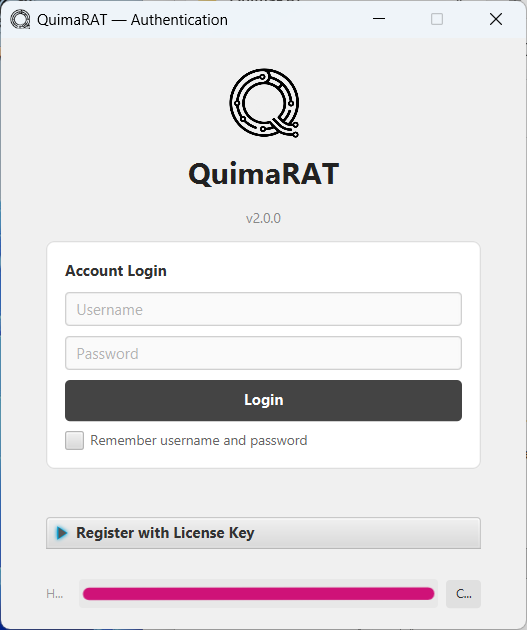
Account Login
Secure authentication screen with Username/Password login, Remember Me option, and License Key registration
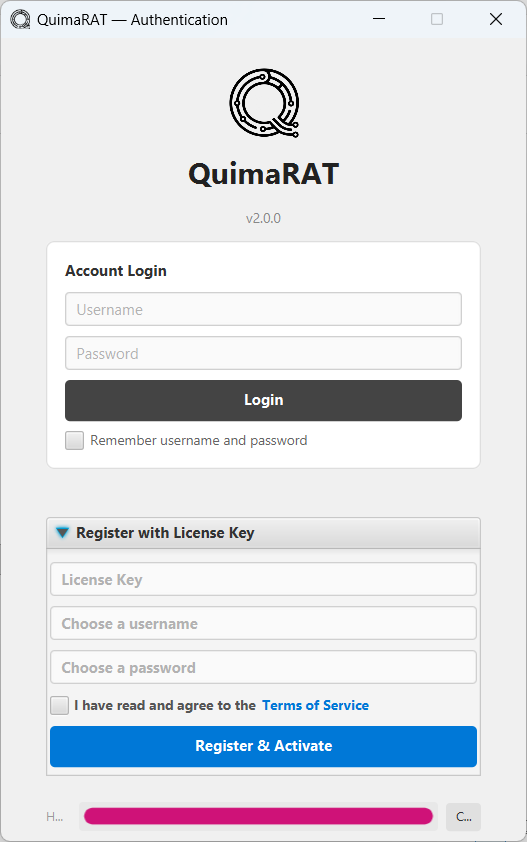
Register & Activate
License Key activation with account creation — Hardware ID binding, Terms of Service agreement, one-click registration
.png)
Users Panel & Context Menu
Connected clients table with right-click actions — Windows, Linux, Mac modules, Power Management, and more
.png)
All Transfers
Real-time file transfer tracking with status, progress, and size monitoring
.png)
Mass Command
Execute commands across all connected clients with target & OS filtering, save templates
.png)
Scheduled Tasks
Schedule recurring or one-time commands with status, next/last run tracking
.png)
Modules Manager
70 Windows, 44 Linux, 44 macOS modules — Surveillance, Access, System, Network, and more
.png)
Dashboard Overview
Real-time stats — Connected Clients, Server Uptime, Bandwidth, OS Distribution, Client Overview
.png)
Activity Log
Detailed connection, disconnection events with timestamps, searchable and exportable
.png)
Windows Modules Overview
18 module categories — System Info, File Manager, Surveillance, Network, Recovery, Red Team, Evasion, Console, and more
.png)
System Options Modules
Connections, Process Manager, Services, Startup, Registry Editor, Task Scheduler, Persistence Manager, Token Impersonation
.png)
Surveillance Modules
Remote Desktop, Keylogger, WebCam, Microphone, Screen Record, Screenshot, Hidden Browser, Hidden VNC, RDP Manager
.png)
Network Modules
Reverse SOCKS v4/v5, Reverse Proxy, Network Scanner, Network Discovery, Network Shares, Port Forward, Location
.png)
Recovery Modules
Browser, App, FTP, Wireless, Email, Wallet Recovery — Token Stealer, VPN Extractor, Password Manager Dump, RDP Credentials
.png)
Red Team Modules
LSASS Dump, DLL Injection, Shellcode Loader, AD Enumerator, Lateral Movement, Browser Session Hijack, Phishing Engine
.png)
Evasion Modules
AMSI Bypass, ETW Patcher, Process Hollowing, Rootkit — Advanced defense evasion techniques
.png)
Listen Port — Ports
Manage listening ports with SSL/TLS toggle, supports multiple protocols simultaneously
.png)
Listen Port — TLS/SSL
Self-signed certificate generation, custom keystore loading (JKS/P12) for encrypted connections
.png)
Builder — Profile
Save and manage multiple build profiles with platform tabs (Windows, macOS, Linux, All)
.png)
Builder — Connection
Multi-server DNS/IP configuration with TCP, SSL, HTTPS, WebSocket transports & Pastebin fallback
.png)
Builder — Startup & Persistence
Registry, Schtask, Startup Folder persistence — Manifest Headers, Anti-VM/Sandbox detection
.png)
Builder — Compile Options
Polymorphic Build, Junk Classes, ProGuard Obfuscation, String Encryption (XOR), Binder
.png)
Windows Output Formats
JAR, EXE (Native), BAT (Batch), VBS (Hidden), NATIVEBAT, NATIVEVBS — no Java required options
.png)
macOS Output Formats
JAR, COMMAND (.command), APP (.app.zip), NATIVEAPP — macOS native app bundle support
.png)
Linux Output Formats
JAR, SH (.sh), DESKTOP (tar.gz), NATIVESH — Shell + Auto-JRE for no-Java-required deployment
.png)
All Platforms Build
Universal cross-platform JAR output — single build for Windows, macOS, and Linux